Your customer approves the brake job before you hang up the phone.

Text the estimate from your shop's own number, with the photos your tech just took. They tap Approve, sign with a finger, and the job lands on your board — signed, dated and saved.
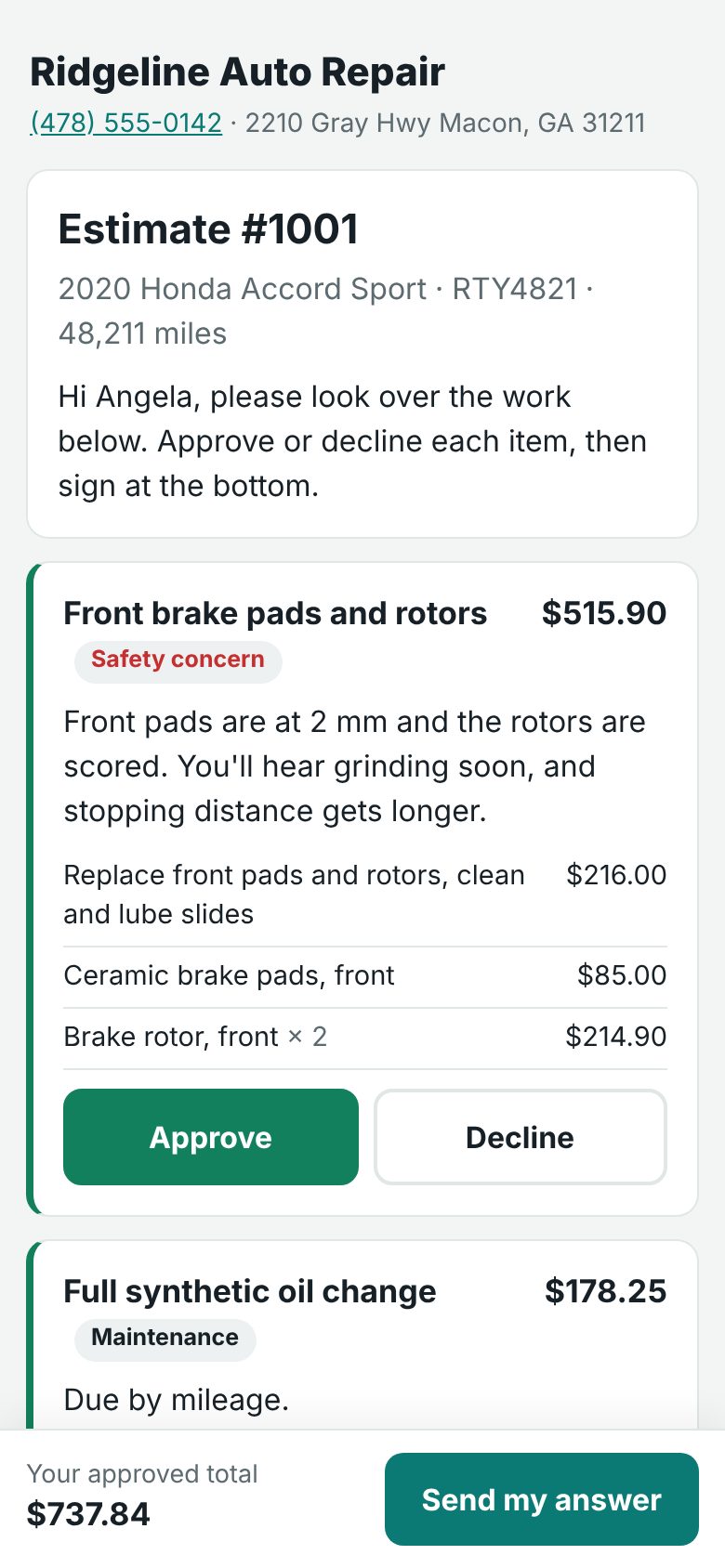
A customer's phone showing an estimate with Approve and Decline buttons for each job
Ridgeline Auto Repair · nowHi Angela, your estimate for the 2020 Accord is ready. See the photos and approve here: rdgln.co/v/…
From the drop-off to the paid invoice

1

Inspect

The tech rates each item green, yellow or red on their phone and snaps photos of what's worn.

2

Estimate

Turn red items into jobs. Labor fills from your rate, parts price from your matrix.

3

Text it

The customer gets a private link from your shop number and approves or declines each job with a signature.

4

Fix and get paid

Techs clock in on approved work. Invoice, take payment and text "ready for pickup".

One shop number. Every text in one inbox.

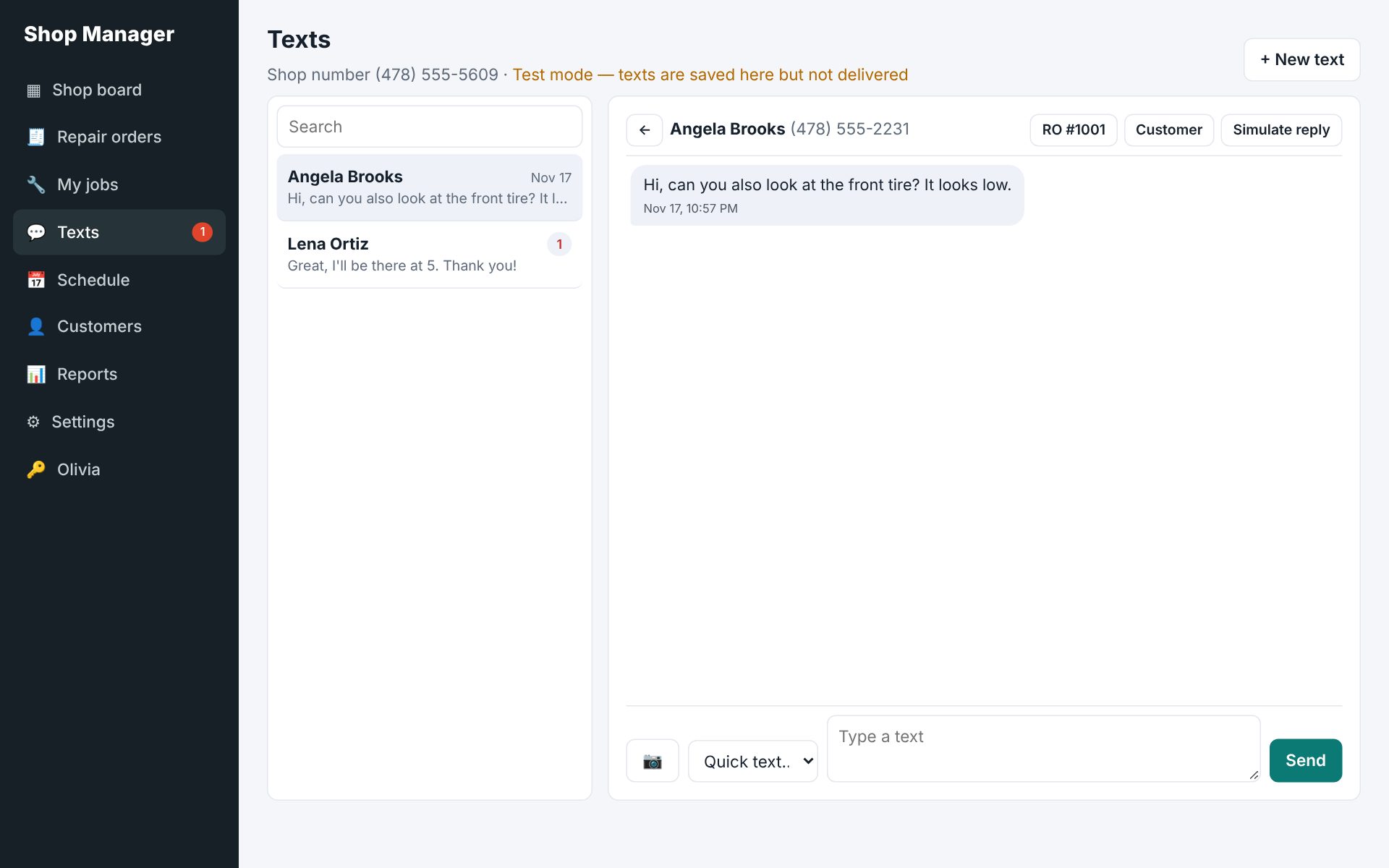
Customers text your shop's own number — not your cell. Everyone at the counter sees the whole conversation, with pictures both ways.

  • Send and receive pictures
  • Replies show up in the conversation, linked to the repair order
  • Know when they open the estimate
  • Appointment reminders the day before — they reply C to confirm
  • STOP and START handled for you
The shop's texting inbox with conversations and a message thread
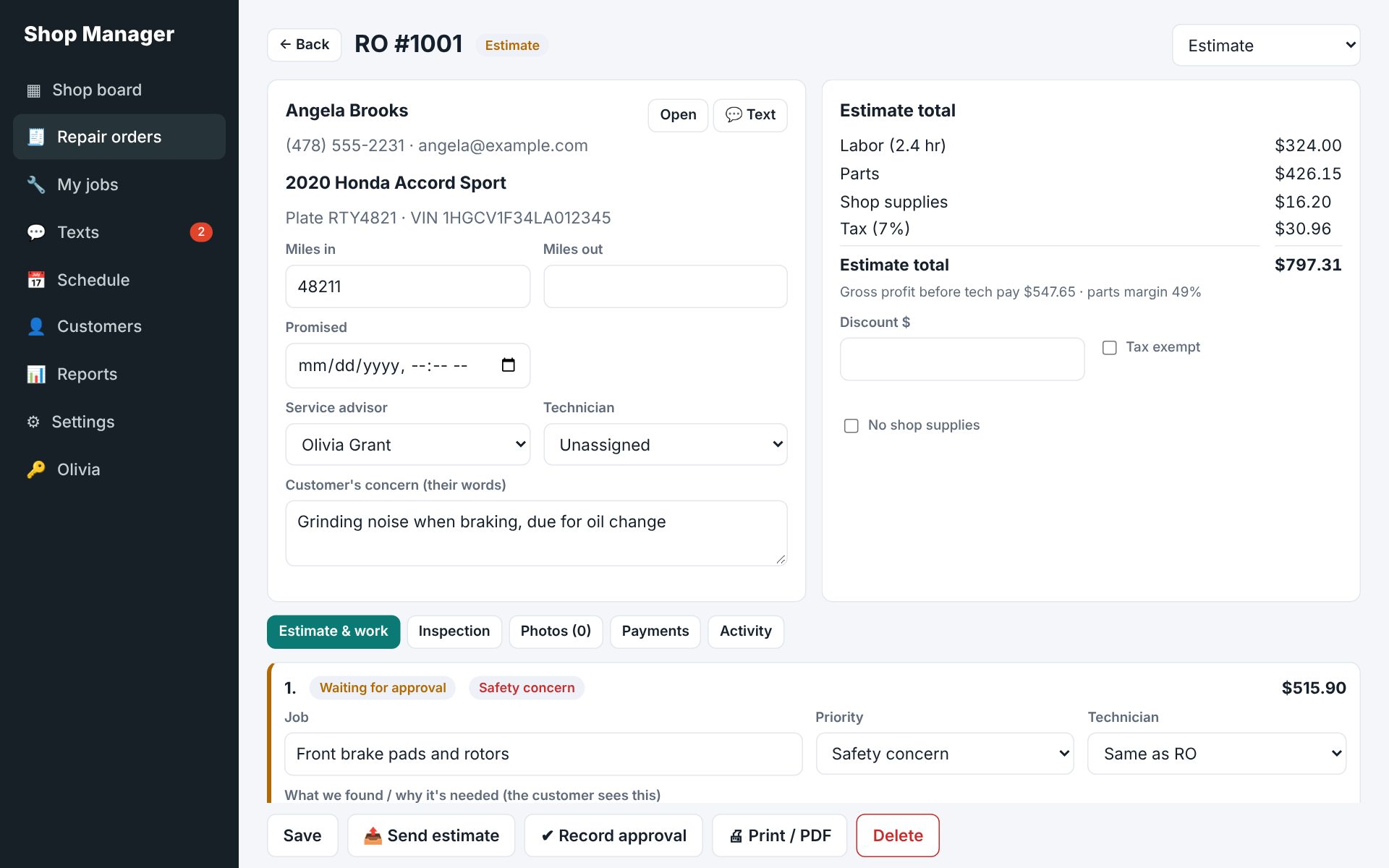
A repair order with jobs, labor and parts lines and totals

Estimates that write themselves

Group the work into jobs your customer can understand. Each job gets its own approve or decline.

  • Labor at your rate, parts from your pricing matrix
  • Shop supplies, sublets, fees, discounts and Georgia sales tax
  • Save common jobs and add them in one click
  • Phone approvals are recorded with who, when and how
  • Estimate, invoice, work order and inspection PDFs

Everything else the front counter needs

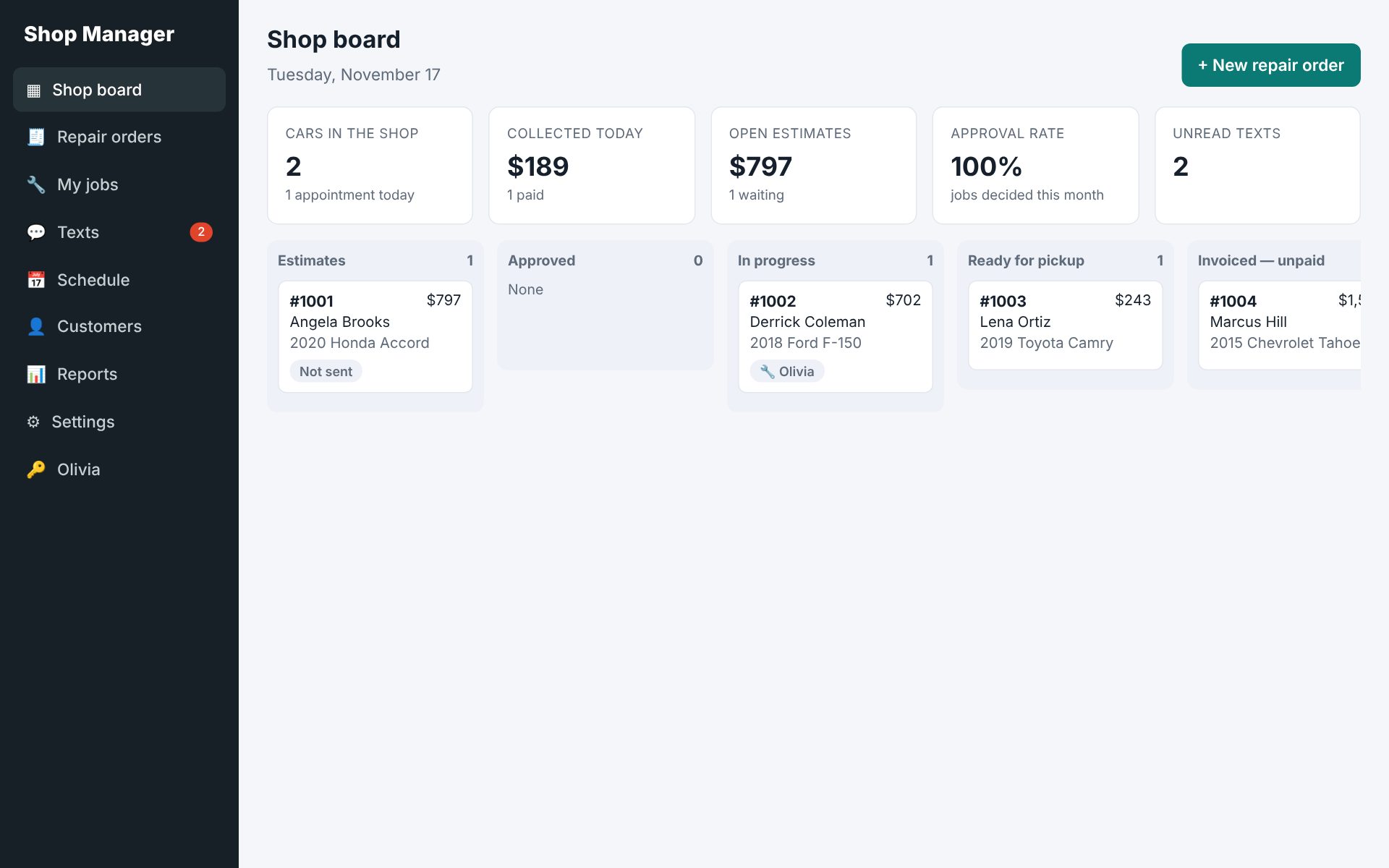
Shop board

Every car in one view: estimates waiting, approved, in progress, ready for pickup and unpaid.

Digital inspections

A checklist you can change, with notes and photos the customer sees on their link.

Technician app

Techs see their cars and the work, never your prices. Clock in and out on each job.

Scheduling

Book appointments and check the car in to a repair order in one tap.

VIN decoding

Type or paste the VIN and the year, make, model and engine fill in, with recall alerts.

Reports

Sales, average repair order, hours sold, tech productivity, parts margin and a declined-work follow-up list.

Customer data stays locked

Records and photos are encrypted on the server. Every login needs a code from a phone app, and each role only gets what it needs.

  • Two-step login for everyone
  • Technicians never receive prices, costs or phone numbers
  • Customer links are private and expire
  • Daily backups and a full audit log

How we protect your data

The shop board with columns for estimates, approved work, in progress and ready for pickup

Monthly pricing, no contract

14 days free. Texting runs on your own shop number; carrier fees for texts are passed through at cost.

Questions shop owners ask

Does it work on a phone?

Yes. Open it in the phone's browser and add it to the home screen — it works like an app. Techs use it in the bay; advisors use it at the counter or on a tablet.

Do customers need to download anything?

No. They tap the link in the text. The estimate, photos and signature box open right in their browser.

Can I keep my shop's phone number?

You get a new local texting number. Customers can keep calling your main line; texts go to the new number, which shows on every estimate.

Can I bring my customers over?

Yes. Send us an export from your current system and we'll load your customers and vehicles.

See it with your own shop

Twenty minutes. We'll build an estimate on one of your real jobs and text it to your phone.